


MagneticTunes Music Memory Box — 9 Mini Discs
MagneticTunes Music Memory Box — 9 Mini Discs
Couldn't load pickup availability
-
Ordered
- - -
Order Ready
- - -
Delivered

MagneticTunes Music Memory Box — 9 Mini Discs
🎵MagneticTunes Music Memory Box — 9 Mini Discs
Turn your favorite songs and memories into a physical gift.
Each set includes one music box and 9 mini discs. Add your favorite songs, place a disc on the music box, and press play to relive the moment instantly.
Why they’ll love it:
✓ Includes 1 music box + 9 mini discs
✓ Each disc can play one song
✓ Songs can be changed with the included USB cable
✓ Gift-ready packaging
✓ Perfect for birthdays, anniversaries, couples, best friends, and music fans
How it works:
- 1 Mini Vinyl Player + 9 Mini Records
- Each record plays one preloaded song
- No app required — ready to play after charging
- Press play and enjoy the memory
Customization Options:
📸Upload up to 9 personal photos and 9 songs for customization (please submit your selections to customer service after placing your order)
🎶Built-in music playback with soft, soothing melodies
🎁Exquisitely packaged in a gift box—unwrap it for an instant surprise
📖Includes a concise, step-by-step English installation guide
Perfect For
Valentine's Day, Birthdays, Anniversaries, Graduation Gifts, Best Friend Gifts
Please Note
- Custom orders require an additional 3–5 business days for production
- Please submit high-resolution photos for the best print quality
- Customized products are non-refundable except in cases of quality issues


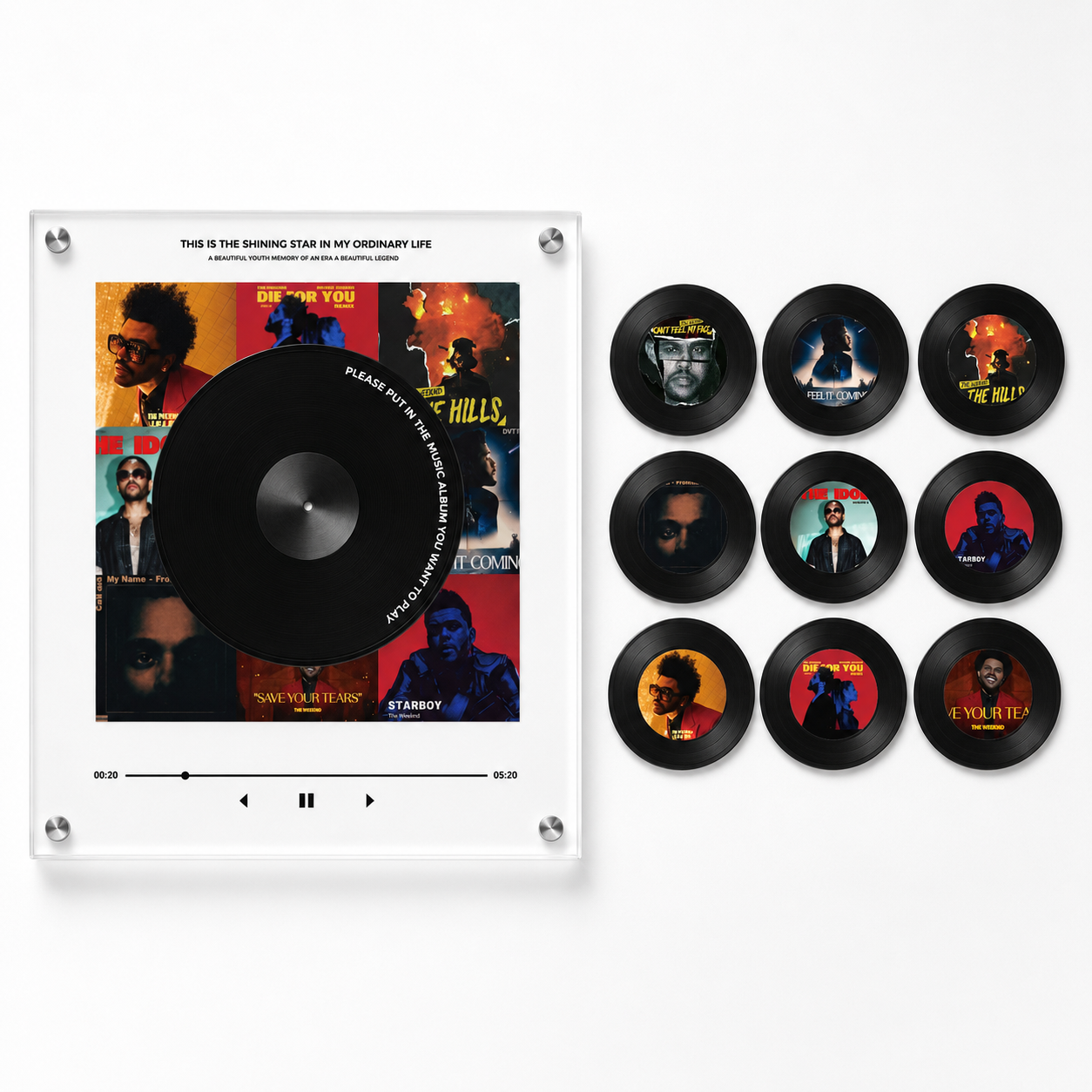


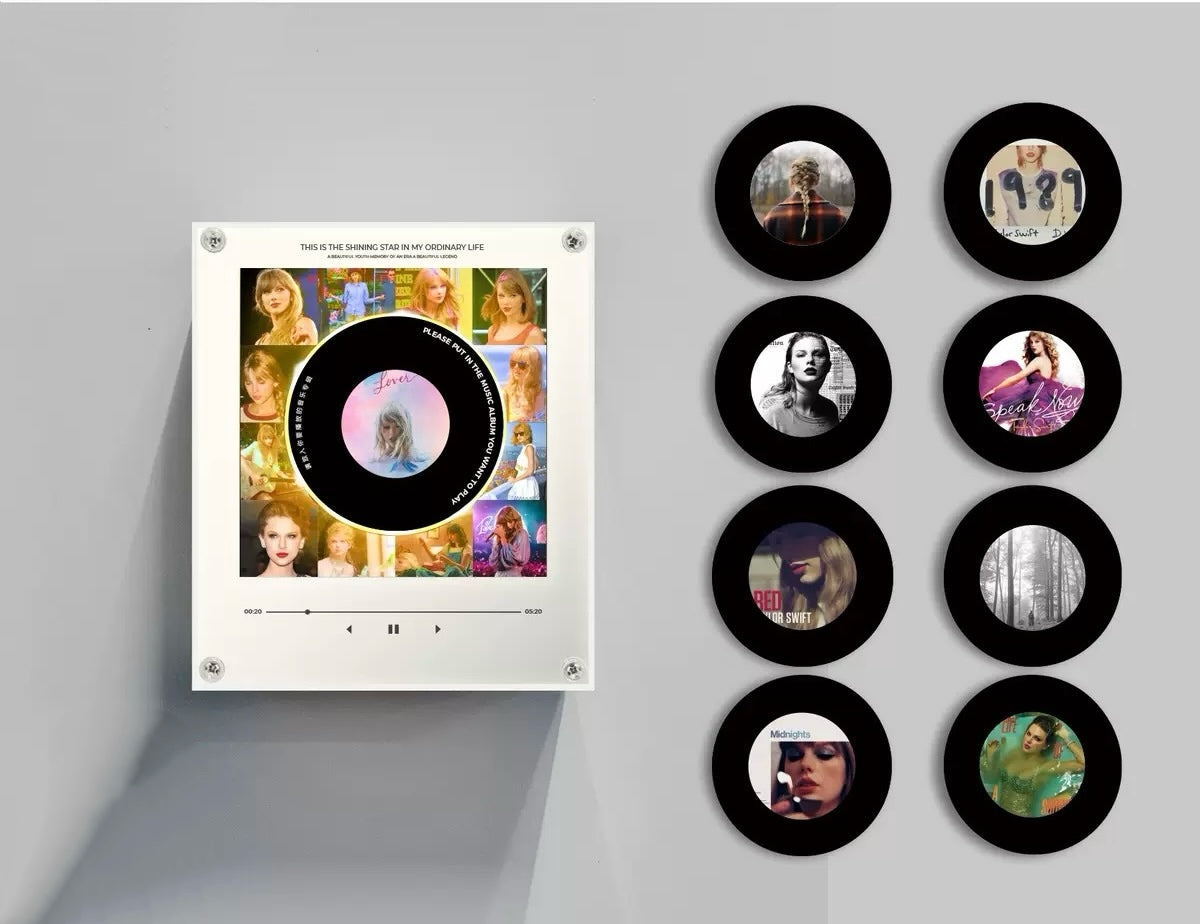
Where Your Memories Come to Life 💿


Product Details
Is it good for gifts?
Is it good for gifts?
Yes. It comes with gift-ready packaging and is perfect for music lovers, couples, birthdays, anniversaries, and fan collections.
Is it a Bluetooth speaker?
Is it a Bluetooth speaker?
No. It is a physical music memory box designed for personal songs and gift moments.
How many songs can it hold?
How many songs can it hold?
The set includes 9 discs. Each disc can be matched with one song.
Can I change the songs?
Can I change the songs?
Yes. You can import your own MP3 files using the included USB cable and setup guide.
How does it play music?
How does it play music?
Place a disc on the player and the music box will play the song linked to that disc.
Customer Support
Customer Support
If you have any questions about your order or our products, feel free to email us at janootmake@gmail.com
What's Included?
What's Included?
1 magnetictunes music box
9 custom photo discs
USB cable for importing music
premium keepsake box
Customisation guide
Customisation guide
Once you receive the music box, you can easily import any songs you like by following the step-by-step setup guide included.
This means you can change the song anytime to match your favorite memories 💜
The Disk can hold one song and will play the whole song on repeat.
Customisation guide
Adding your own song to the Music Box is simple and takes less than a few minutes.
Step 1 — Connect to your computer
Use the included USB-C cable to connect the music box to your laptop or PC.
Step 2 — Open the folder
A folder named “NO NAME” will appear on your computer.
Step 3 — Select your disc slot
Inside, you’ll see folders labeled 1–9, each matching one magnetic disc.
Step 4 — Match the number
Check the number / symbol on the back of the disc and use the matching folder.
Step 5 — Upload your song
Drag your MP3 file into the correct folder.
Step 6 — Enjoy your music
Safely eject the device, attach the disc, and your selected song is ready to play.
How does it work?
Option 1 — Justin Bieber Preset Edition
Choose from our carefully curated selection of Justin Bieber-themed preset designs, complete with a beautiful photo disc.
Option 2 — Custom Memory Edition (Coming Soon)
Send us 9 of your own photos, and we’ll create a personalized disc just for you.
Music Device
Music Device
Once your music box arrives, you can easily import any song you like using the included step-by-step setup guide.
This means you can change the song anytime to celebrate your fondest memories 💜
The disc can store one song and plays the entire track on a loop.
Frequently Asked Questions
Frequently Asked Questions
Q: How long can the music box play continuously?
A: Approximately 2 hours of continuous playback.
Q: How do I clean the music box?
A: Gently wipe the outer surface with a dry soft cloth. Avoid using water or chemical cleaners.
Q: Does the product come with a warranty?
A: Yes, a 1-year warranty is included.
Return Policy
Return Policy
If your order arrives damaged or defective, contact us within 30 days and we'll arrange a replacement.
Personalized items cannot be returned unless faulty.
 Fast Shipping

Ships within 1-3 business days
 30-Day Free Returns

Hassle-free returns within 30 days of receipt
 Quality Guaranteed

Premium materials, strictly quality controlled
Testimonials
-

★★★★★
Bought this for my best friend. She cried when it started playing our song
-

★★★★★
I used our concert photos and added the songs from that night. It felt really personal
-

★★★★★
I expected it to be complicated to set up, but it already came with songs I love. It was definitely worth it
-

★★★★★
I bought this as a gift and was honestly nervous it wouldn’t live up to the photos, but it actually looked even better in real life. The quality surprised me, and the whole concept feels very personal and thoughtful. My friend absolutely loved it and said it was one of the most meaningful gifts she’s ever received.
-

★★★★★
At first I was a bit worried the custom photos might look blurry or cheap, but they turned out so clear and aesthetic. It genuinely feels like a keepsake rather than just merch. I used photos from a concert and added my favorite BTS song, and it honestly made the whole memory feel so much more meaningful.
-

★★★★★
I was scared it might look cheap, but it feels so elegant and sentimental.
-

★★★★★
The photo customization turned out perfect.
-

★★★★★
I was skeptical at first but now I’m ordering another one for my best friend.


